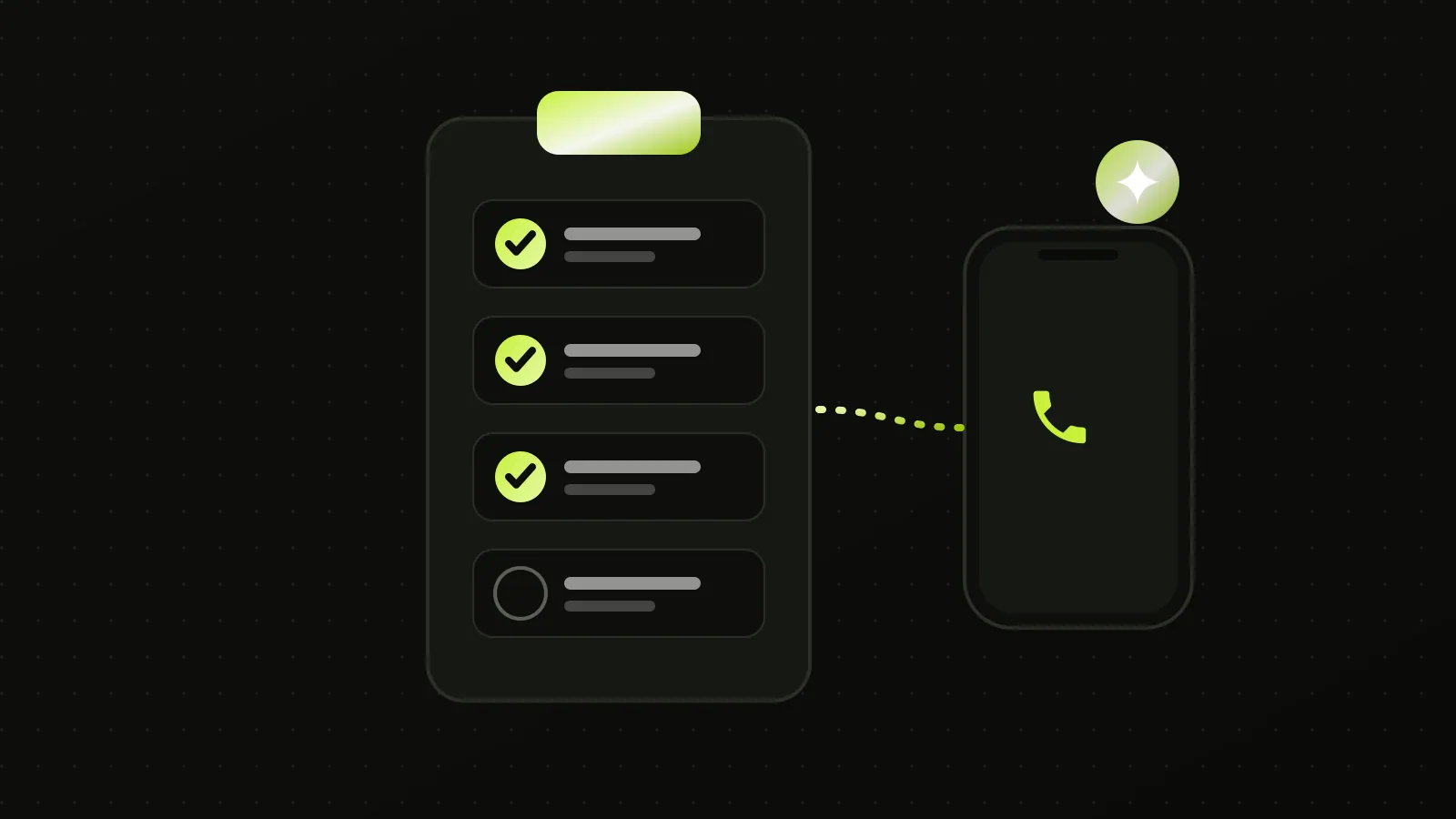
To set up an AI receptionist, write down the calls you get, decide what the agent should ask and when it should hand over to a person, connect it to your calendar and phone line, test it with real calls, and tell callers it is an AI. The technical part is the smaller job. The harder part is the decisions about scripts, escalation and consent, which no platform makes for you. This AI receptionist setup checklist covers each step and gives starter questions for common trades.
How do you set up an AI receptionist, and in what order?
An AI receptionist setup checklist has six parts: the calls you get, the script and questions, the hand-over rules, the connections to your calendar and phone line, test calls, and the AI notice. The order below is the order we build in. If you would rather have it built and tested for you, our 24/7 AI receptionist setup is a fixed price and live in 14 days, and the fixed-price AI automation packages show what is included.
What is the first step in setting up an AI receptionist?
The first step is to list every type of call you receive in a normal month and what you want to happen to each. Pull a month of your phone log and sort the calls into groups: new inquiries, existing customers, quote requests, urgent problems, suppliers, sales calls and wrong numbers. The agent can only handle a call type once you have decided what the right outcome is for it. To put a dollar figure on the calls you find, calculate your missed-call revenue leak.
Data behind this figure
| # | Step | Detail |
|---|---|---|
| 1 | List your calls | Sort a month of calls |
| 2 | Write the script | Questions and outcomes |
| 3 | Build the knowledge base | Services, prices, areas |
| 4 | Set handover rules | Urgent, upset, asked |
| 5 | Connect calendar and CRM | Test a booking |
| 6 | Connect the phone line | Keep your number |
| 7 | Test every branch | Noisy, mumbled, urgent |
| 8 | Go live and tune | Review calls, fix gaps |
How long does it take to set up an AI receptionist?
Setting up an AI receptionist takes us 14 days from the deposit for a Front Desk project, and a do-it-yourself build takes as long as your decisions do. The platform can be connected in an afternoon. Writing the call flow, collecting the knowledge base and testing every branch is where the days go, which is why the first step above is a list of your calls.
What should an AI receptionist script include?
An AI receptionist script should include a greeting that discloses it is an AI, the questions to ask, the outcome for each call type and the rules for handing over. It also needs your opening hours, service area, price guidance you are willing to give, and the exact wording you want for things it must not say. Write it as a call flow, not an essay. Each branch should end in a booked job, a message for you, a transfer or a polite decline.
AI receptionist script example for a service business
An AI receptionist script example for a service business has five lines: the greeting, the first question, the triage question, the booking offer and the handover. Here is a starter for a plumber, which is our wording and needs your details: "Hi, you've reached [business]. I'm an AI assistant and I can book you in or take a message. What's the problem, and is water running now?" If the caller says yes, the script goes to the urgent branch and alerts the owner before it does anything else.
AI receptionist greeting examples
AI receptionist greeting examples that work say the business name, say it is an AI, and offer one clear thing it can do, in under ten seconds. For a salon: "Thanks for calling [salon]. I'm an AI assistant. I can book, move or cancel an appointment, or take a message for the team." Avoid a long list of options at the start, because callers talk over it.
How do you train an AI receptionist on your business?
You give it a knowledge base of your services, prices, areas, policies and common questions, and you test it with real questions until the answers are right. Collect your website text, your price list, your terms and the questions customers ask most, and put them in one place. Where you do not want a figure quoted, write "give a range, then offer a visit". An agent answers only as well as what you give it, so gaps in the knowledge base become wrong or vague answers.
What questions should an AI receptionist ask callers?
An AI receptionist should ask the minimum needed to book or triage, usually name, number, address or neighborhood, what the problem is and how urgent it is. More questions lose callers, and fewer questions waste your visit. For a plumber the set might be: is water running, where is the problem, is anyone at risk, and when is it convenient. For a dentist: are you an existing patient, are you in pain, and which day suits. These sets are our recommendations, not research findings.
When should an AI receptionist transfer a call to a person?
Transfer a call when the situation is urgent, emotional, a complaint, outside the script, or when the caller asks for a person. Write the triggers down: a safety risk, an upset caller, a repeated failure to understand, a request for a manager, anything involving a legal or clinical judgement. Decide who receives the transfer, what happens if they do not answer, and how the caller is told. A transfer that rings out with no fallback is worse than no transfer.
What does a call-handling matrix look like?
A call-handling matrix maps each call type to an outcome and a handover rule, and you can fill it in before you build anything. The example below is a starting template for a service business, and the outcomes are our recommendations.
| Call type | Outcome | Hand to a person when |
|---|---|---|
| New inquiry | Qualify and book | Caller asks for a person |
| Urgent problem | Safety instruction, alert owner, book first slot | Always |
| Quote request | Take details, give a range, book a visit | Job is outside your service list |
| Existing customer | Take message or reschedule | Complaint or dispute |
| Supplier or sales call | Take a message | Never, unless you ask |
| Wrong number | End politely | Never |
Note: Order is the one we use when building a setup. Steps can overlap, but test the urgent-call path before you go live.
Data behind this figure
| Step | What happens |
|---|---|
| Incoming call | Forwarded to the agent |
| Greeting | Agent says it is an AI |
| Urgent? | Yes: safety instruction, alert owner, transfer |
| Not urgent | Qualify, book into calendar and CRM |
| After the call | Text summary to owner |
How do you handle emergency calls with an AI receptionist?
Handle emergencies by detecting them early in the call, giving a short safety instruction you have approved, and sending the call straight to a person. For an emergency the agent should not try to complete a booking before alerting you. Give it a safe list of instructions, for example how to shut off a main valve, and tell it to direct anyone at risk to emergency services. Test emergency scripts more than any other.
Is there a HIPAA-compliant AI receptionist for small business?
HIPAA compliance for an AI receptionist depends on the agreement you hold with each provider that handles patient information, not on a label on the product. In the US, ask every vendor in the chain, including the voice platform, the phone provider and the CRM, whether they will sign a business associate agreement, and get the answer in writing. We do not claim any platform is compliant on its own, and this is general information, not legal advice. Outside the US, the equivalent is your national health privacy rules.
How do you set up an AI receptionist for a dentist or medical practice?
For a health practice, restrict the agent to booking, rescheduling and passing on messages, and keep clinical advice with your staff. State in the script that the agent does not give medical advice. Plan where booking data is stored, because patient details are sensitive, and ask the platform where data is held. We cover practice setups on our dentists page.
How do you set up an AI receptionist for lawyers and legal intake?
For a law practice, use the agent for intake, screening and scheduling, and not for legal advice. The script should tell callers that it cannot give legal advice and that a lawyer will follow up. Decide which matters you take and which you decline, so it can screen consistently. See our family and immigration law page for how we approach it.
How do you connect an AI receptionist to your calendar and CRM?
Connect it through the platform's calendar and CRM integrations, and test that a booking made on a call appears in your diary and your CRM with the right details. Check time zones, buffer times between jobs and what happens if two callers want the same slot. Start with your calendar, because a booked job that never reaches your diary is the failure customers notice.
How do you set up call forwarding to an AI receptionist?
You set up call forwarding to an AI receptionist by pointing your existing number at the number the assistant answers on, using your carrier's or phone system's forwarding settings. Pick the rule first: forward all calls, forward when you are busy or do not answer, or forward only after hours. Then call your own number from another phone for each case and check what the caller hears. Your carrier controls which of these options are available, so check theirs.
Can an AI receptionist answer calls on my personal cell phone?
An AI receptionist can answer calls to a personal cell phone number if the carrier lets you forward unanswered or busy calls to the assistant's number. That means customers still dial the number they know. We recommend a separate business number for anything you publish, so personal calls never reach the assistant. The same applies to a Google Voice number, where you set the forwarding in the Google Voice settings. Test before you rely on it.
Which phone number should you use on your Google Business Profile?
Use the number that forwards to your AI receptionist on your Google Business Profile, and keep it identical to the one on your website, so callers and Google see one consistent number. Our Google Business Profile checklist covers the rules for primary and additional numbers.
How do you keep your existing phone number?
You keep your number by forwarding calls to the agent or by routing your carrier or phone system to it, and you do not need to publish a new number. Decide when calls forward: always, after a set number of rings, or only after hours. Keep the number on your Google Business Profile and website the same as the one customers already know, so the listing details stay consistent.
What should happen to after-hours calls?
After-hours calls should follow a rule you set: book for the first slot, take a message, or transfer if urgent. A common pattern is to answer every call, book non-urgent jobs for the morning, and alert you only for the urgent list. Send yourself a summary text or email after each call so you know what happened without listening to recordings.
Should an AI receptionist say it is an AI?
Yes, and we build ours to say so at the start of every call. We recommend disclosure because callers who feel deceived are likely to hang up or complain, and because regulators are paying attention to AI voices. In the US, the Federal Communications Commission ruled in February 2024 that AI-generated voices in robocalls are "artificial" under the Telephone Consumer Protection Act. That ruling concerns outbound calls, so it does not cover your inbound customer calls, but it shows the direction of regulation.
Do you need to tell callers that calls are recorded?
In Canada, yes: the Office of the Privacy Commissioner says organizations must tell the customer that a call is being recorded and clearly state the purpose. Its guidance on recording customer telephone calls, last modified 8 October 2026, also says consent is usually implied if the customer continues the call knowing it is recorded and why, and that express consent may be required for biometric voiceprints. It says recordings should be kept only as long as needed and used only for the stated purposes.
We have not verified the rules for recording calls in the United States by state, the UK, Australia or New Zealand against primary sources, so we do not state them here. The safe practice, which we follow, is a clear spoken notice at the start of the call that says who is recording and why. Check your national regulator or a local lawyer before you rely on that, and see the privacy regulator for your country: the Information Commissioner's Office in the UK, the Office of the Australian Information Commissioner, and the Office of the Privacy Commissioner in New Zealand.
What are the rules for AI receptionists making outbound calls?
Outbound calls with an AI voice are a separate and more regulated activity than answering inbound calls. In the US, the FCC's February 2024 ruling means AI-generated voices fall under the same Telephone Consumer Protection Act restrictions as artificial or prerecorded voices. The rule does not ban such calls, and consent and identification requirements still apply. We do not set up cold-calling agents, and the setup in this checklist is for inbound calls and callbacks to people who contacted you.
Can you build an AI receptionist yourself?
You can build an AI receptionist yourself on a voice platform, and the build is the easy part next to the script, the testing and the upkeep. The sub-sections below cover the do-it-yourself routes and what each asks of you.
How to make an AI receptionist for free
To make an AI receptionist for free you can use a free tier or trial on a voice platform, and expect limits. LiveKit Cloud's Build plan includes 1,000 agent minutes a month at no cost, and other platforms offer trial credit. Free covers testing, not a business line: you still pay for a phone number, and a free plan's minute cap runs out quickly. See the cost guide for the figures.
How to build an AI receptionist with Vapi or n8n
To build an AI receptionist with Vapi, Retell or n8n, you connect a phone number to a voice agent, give it a prompt and a knowledge base, and wire the tools it needs: calendar, CRM, texts. n8n sits in the middle as the workflow that books the job and sends the summary. It works, and you become the person who maintains it, tests the emergency path and updates it when a provider changes. If that is not how you want to spend your time, that is the case for having it built.
Is there an AI receptionist app for iPhone?
There are AI receptionist apps for iPhone, and most are a front end to a phone service that answers on your behalf, not a feature of the phone itself. Check that the app answers your existing number by forwarding, says it is an AI, and gives you the call summary by text. Our view is that a business line is better set up on a business platform than on a personal phone.
How do you test an AI receptionist before going live?
Test it by making real calls yourself, with a colleague and with a few customers, covering every branch in your script. Call with a noisy background, a strong accent, a mumbled address and a caller who changes their mind. Check each outcome: the booking in the diary, the text to you, the transfer behavior, and what the agent says when it does not know. Do not go live until the emergency path works every time.
What should you ask an AI receptionist vendor before you buy?
Ask an AI receptionist vendor six things before you buy: what happens when the assistant cannot answer, where recordings and transcripts are stored, whether silence and hold time are billed, what the monthly cost is at your call volume, who owns the number and the accounts, and how you leave. The last two matter most. If the vendor holds your number or your data, switching later is harder than it looks.
Best AI receptionist for scheduling appointments
The best AI receptionist for scheduling appointments is the one that reads and writes your real calendar, handles reschedules and cancellations, and stops two people booking the same slot. Test those three with a colleague before you compare voices or features. A natural voice that double-books is worse than a plain one that does not.
AI receptionist for small business: where to start
For an AI receptionist for a small business, start with one number and the three call types that cost you most, usually new inquiries, urgent calls and bookings. Add the rest after a month of real calls. Starting narrow keeps the script short, and it makes the first month's review quick.
What mistakes should you avoid when setting up an AI receptionist?
The common mistakes are an unclear script, no transfer fallback, a missing knowledge base, skipped testing and no disclosure. Each shows up as the same customer experience: confusion, a repeated question or a call that goes nowhere. Do not let it make promises you cannot keep, such as exact arrival times, fixed prices for unseen jobs or guarantees.
What happens after you go live?
After launch, review calls, correct the script and fill gaps in the knowledge base. Listen to a sample of calls in the first weeks, read the summaries, and note every time the agent hesitated or a caller asked for a person. Each of those is a line to add to the script. Our setups include 30 days of support after go-live for this tuning, and we describe the full process on the AI receptionist page. The cost side is in how much an AI receptionist costs.
Quick answers to common questions
How do I set up an AI receptionist?
List the calls you get, write the call flow and the handover rules, build the knowledge base, connect the calendar and phone line, test every branch with real calls, and tell callers it is an AI. The platform is the small job. The decisions are the large one.
What should an AI receptionist say when answering?
Say the business name, say it is an AI, and offer one clear thing it can do in under ten seconds, such as booking, moving an appointment or taking a message.
When should an AI hand off to staff?
On an urgent or safety problem, an upset caller, a complaint, a question outside the script, repeated failure to understand, or a request for a person. Decide who receives the transfer and what happens if nobody answers.
Should callers be told it is an AI?
Yes. We build ours to say so at the start of every call, because callers who feel deceived hang up or complain, and regulators are paying attention to AI voices.
How do I test an AI receptionist properly?
Call it yourself, with a colleague and with a few customers, covering every branch, with background noise, a strong accent, a mumbled address and a caller who changes their mind. Do not go live until the emergency path works every time.
What can an AI receptionist not do?
It should not give medical or legal advice, quote prices for jobs it cannot see, promise exact arrival times or diagnose faults. Write these limits into the script so it says so and hands over.
Can an AI receptionist book into my calendar?
Yes, through the platform's calendar integration, and you should test that a booking made on a call lands in your diary with the right time zone, details and buffers. Start with the calendar, because a booking that never reaches it is the failure customers notice.
How much does an AI receptionist cost for a small business in 2026?
An AI receptionist costs about $78 to $203 a month for 300 calls. See the per-minute rates, the phone and hosting extras and a worked example you can redo.
How much do missed calls cost a small business? The real numbers
69% of 16.7 million missed calls got no callback in 48 hours. See the Invoca, Quo and CallRail numbers, then work out your own loss with one formula.